PAWs, zones, and tiering.
What do any of those terms have to do with Active Directory.
If you haven't seen the Microsoft enterprise access model yet, then these are set to blow your mind.
As it turns out, a team out of Monash University has put together a model that expands on the Microsoft access model to give rise to granular controls that make life hell for any would be hacker.
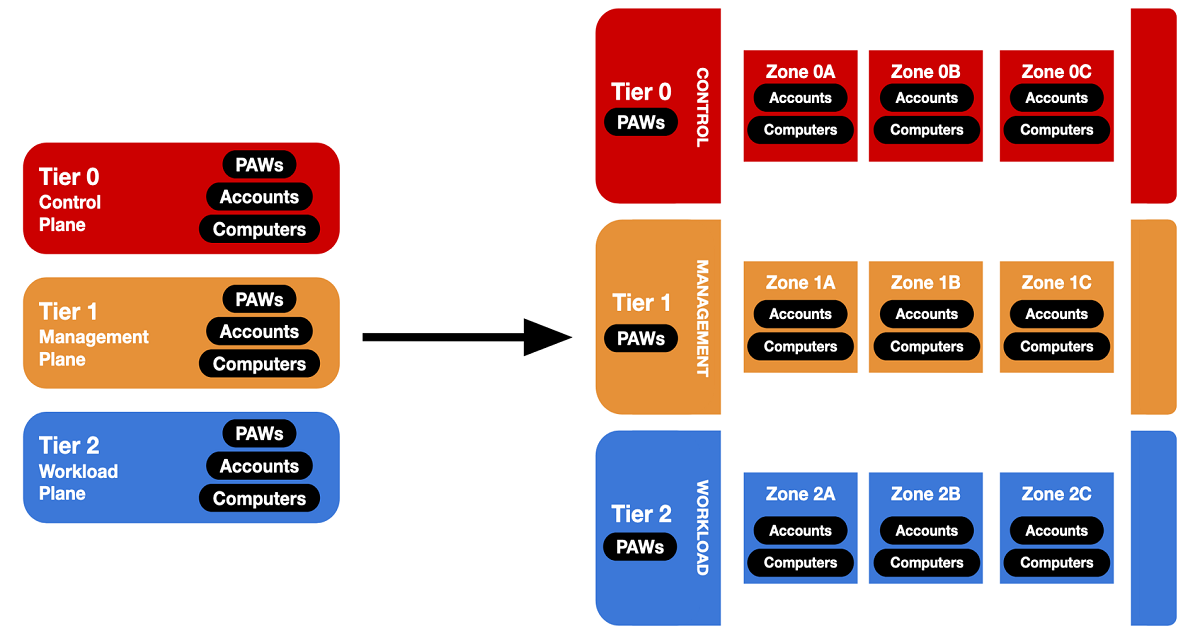
The system breaks into three tiers or planes:
- Control plane - Domain Controllers & Domain Admins, PKI, DC hypervisors, Tier 0 privileged accounts
- Management plane - SCCM, file & print, backups, SQL, workload hypervisors, Tier 1 privileged accounts
- Workload plane - Workstations, servers, general user accounts
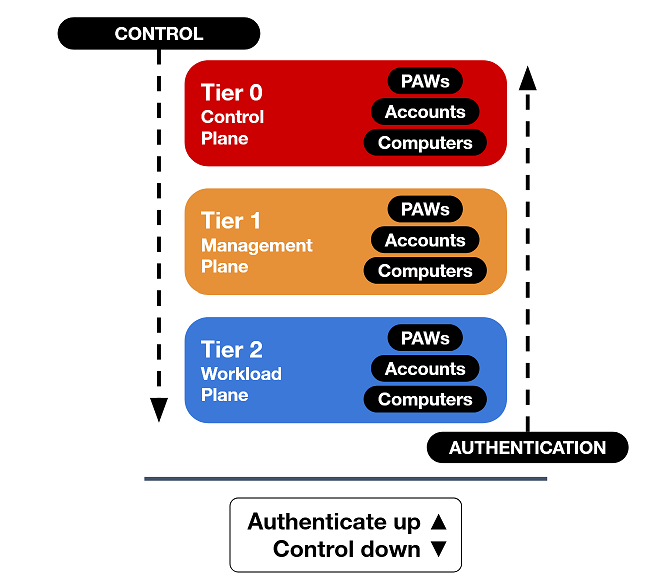
Three rules from Microsoft's guidance on how to maintain security:
- Credentials from a higher-privileged tier must not be exposed to lower-tier systems.
- Lower-tier credentials can use services from higher tiers, not the reverse.
- Any system or account that can manage a higher tier is also in that tier, whether intended or not.
Now let's dive into the technology that makes all this possible.
PAWs
A privileged access workstation (PAW) is a dedicated device that is used for administrative duties. They are trusted devices which are specifically designed to be used solely for administrative tasks. No emails or web browsing.
With a PAW there comes the need for dedicated accounts.
These are accounts that cannot access your standard corporate laptop or regular webserver.
PAWs require dedicated accounts that cannot access a standard corporate laptop or regular web server. Often a convention like appending .admin (e.g. kmurray.admin). You use the standard account for normal work on the corporate laptop, and privileged devices only with the dedicated account.
Zones
Zones further segment tiers, dividing control, management, and workload planes so a compromised account's blast radius is limited.
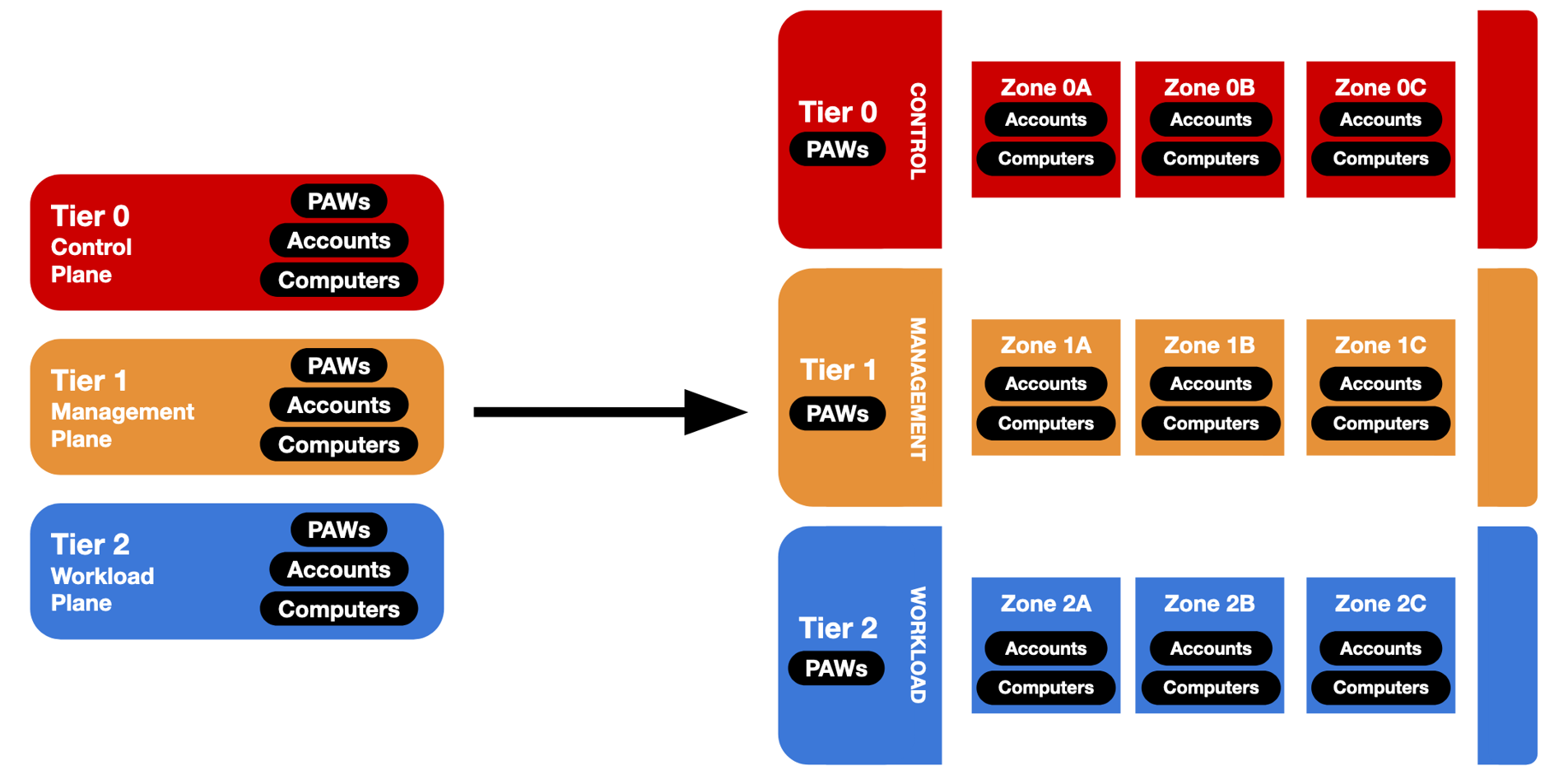
Example zones:
Tier 0
- Zone 0A — Domain Management
- Zone 0B — Domain Hypervisor Management
Tier 1
- Zone 1A — Workstation Management
- Zone 1B — Server
- Zone 1C — Storage
- Zone 1D — Hypervisor
Tier 2
- Zone 2A — Workstations
- Zone 2B — Servers
Which will create the effect where if the Workstation Management zone is compromised, the server zones will be unaffected.
Now that is a lot but the question is how is any of that implemented.
Authentication policy silos
Silos further segment authentication between zones. If the Workstation Management zone is compromised, the silo can block authentication to server zones while still allowing workload-plane access.
In the model above, they have been implemented in two ways:
PAW silos: per-tier “computer” silos containing PAW machines . Only PAW users in a specific tier can authenticate.
Zone silos: per-zone “user” silos for user and service accounts. Users in a zone can authenticate to PAW devices, computers within their zone, and domain controllers.
If deployment feels daunting, there are deployable scripts for mock environments and write-ups covering silos for production rollout.
Going further with JIT administration
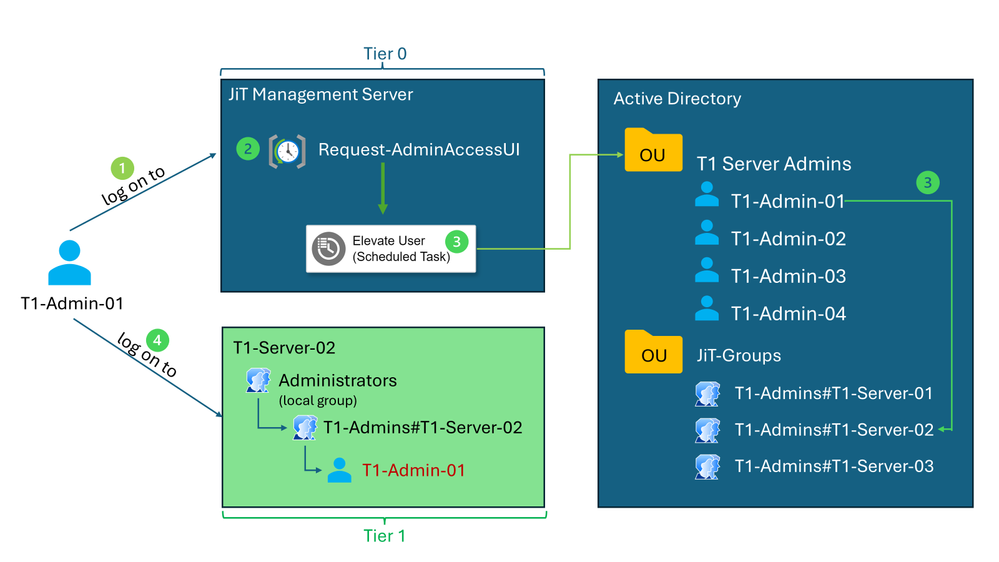
Once Active Directory is built like Fort Knox, consider just-in-time (JIT) administration: Microsoft has blogged on it, and engineers have published PowerShell helpers.
JIT temporarily elevates privileges only when needed. Reducing misuse risk by granting access for a limited time, on a limited number of devices, and automatically removing users from privileged groups after a defined period.
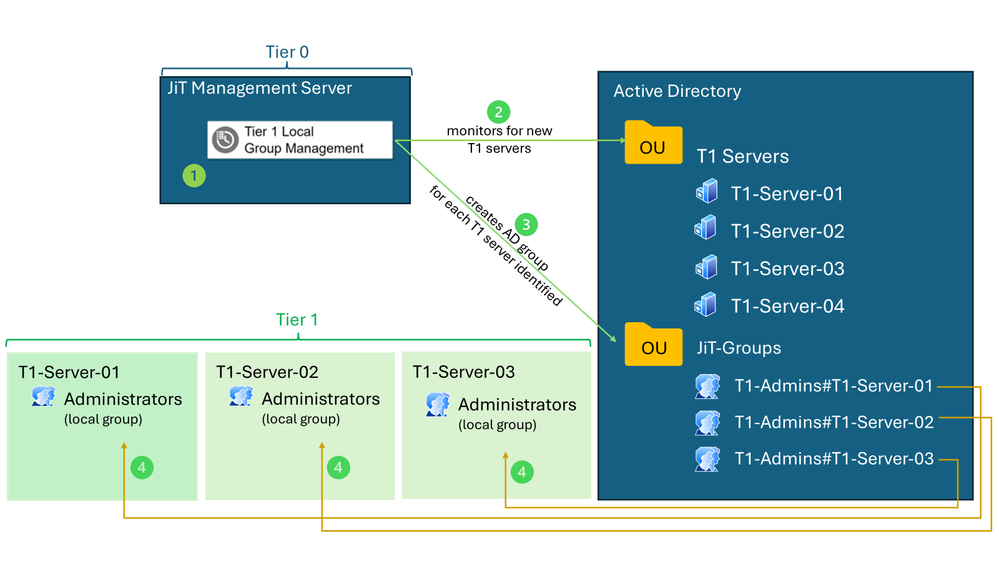
In practice an administrator logs on to the JIT management server and requests elevation to a specific server. Access is time-bound.