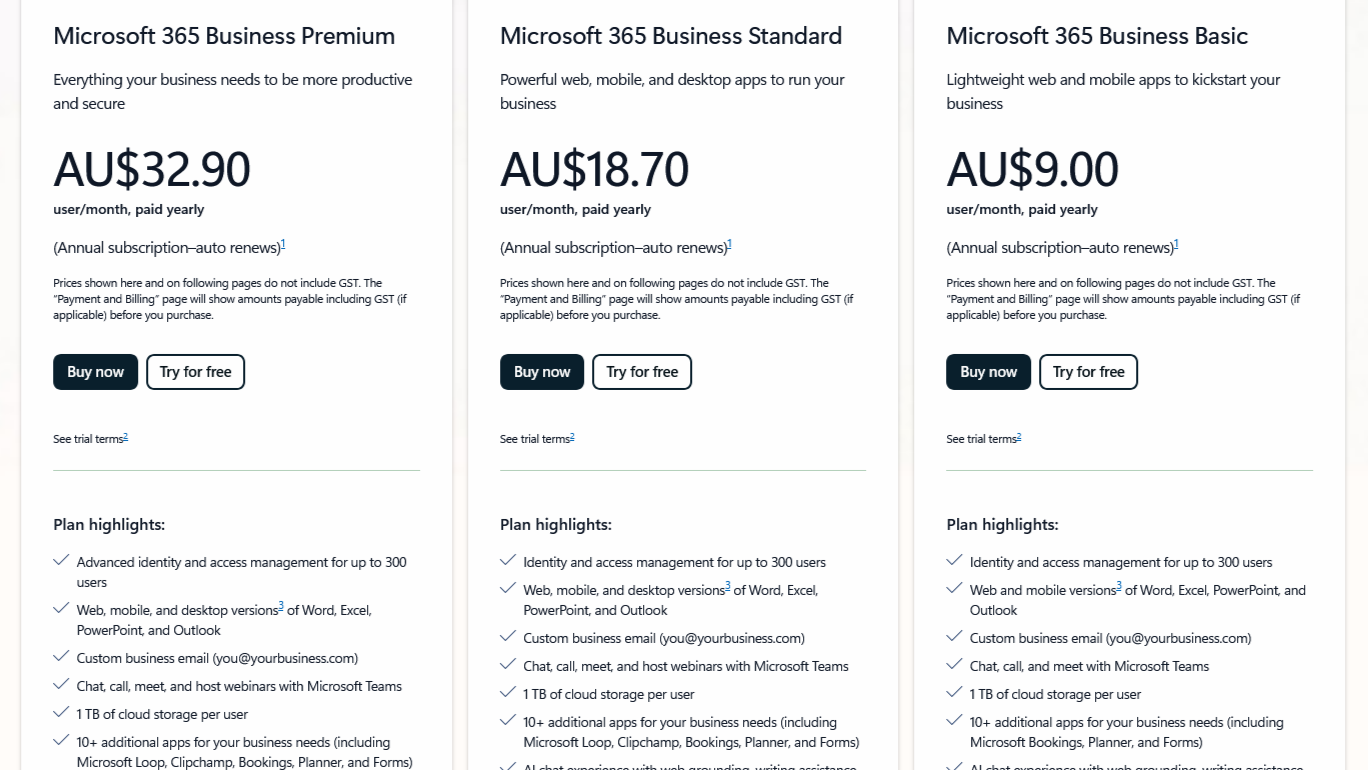
If you're a business owner or find yourself wondering how not to overpay for a Microsoft license, choosing the right Microsoft 365 (M365) license can feel like navigating a maze. Each of the Business plans, basic, standard and premium offer different tools and security features designed to fit organisations of all sizes. The key is understanding what each plan includes, and which one aligns with your business needs.
In this article, we'll break down the main differences between these licenses, their capabilities, and when to choose each one.
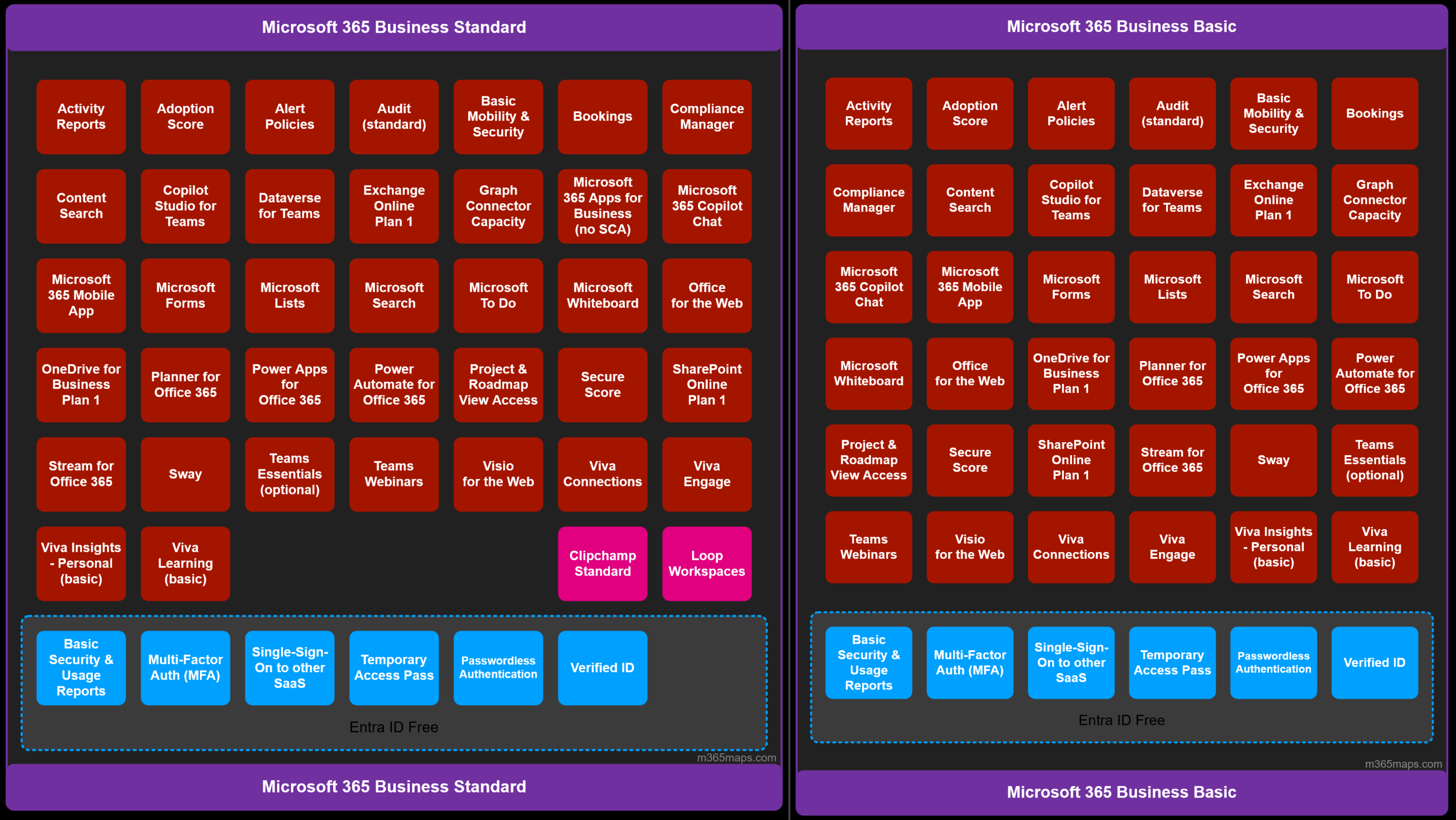
And while we could go into every detail like how when you pay the extra AU$9.70 before GST to upgrade your Business basic license to standard, you unlock the power of "Clipchamp" and "Microsoft Loop".
Both of which I've never thought about until writing this blog.
It seems only fitting that we discuss the most practical use cases of what you get when subscribing to the different tiers of the Microsoft 365 Business plans.
At a high level, this is what services are listed on the Microsoft website under the three plans.
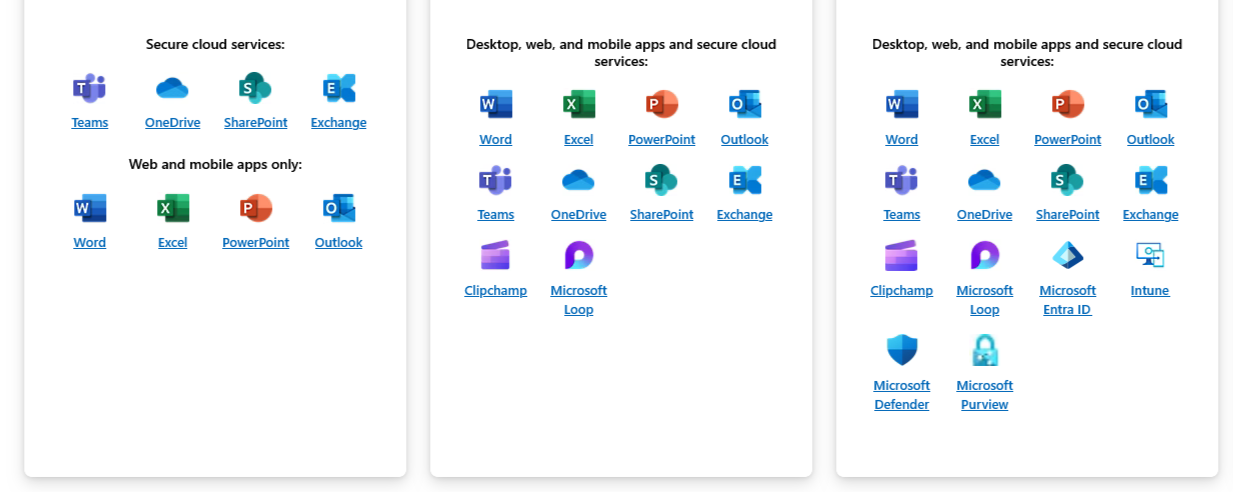
Microsoft 365 Business Basic
Well suited to small businesses that are in the beginning stages of their journey or are utilising remote BYOD to lower costs and want to work purely in the cloud. They would require access to SharePoint for a cloud file system, Exchange for an email provider, and the web versions of Word, Excel, PowerPoint, and Outlook.
That covers off the services that will allow you to get work done. Next question: what services will protect you and your staff online?
Without wanting to rewrite the Microsoft documentation at learn.microsoft.com to list every bit of security across the M365 tenant, we will go over a crucial piece: multi-factor authentication (MFA).
If you have already read the ASD's Essential Eight guidance on MFA, it looks like:
- something users have and something users know, or
- something users have that is unlocked by something users know or are
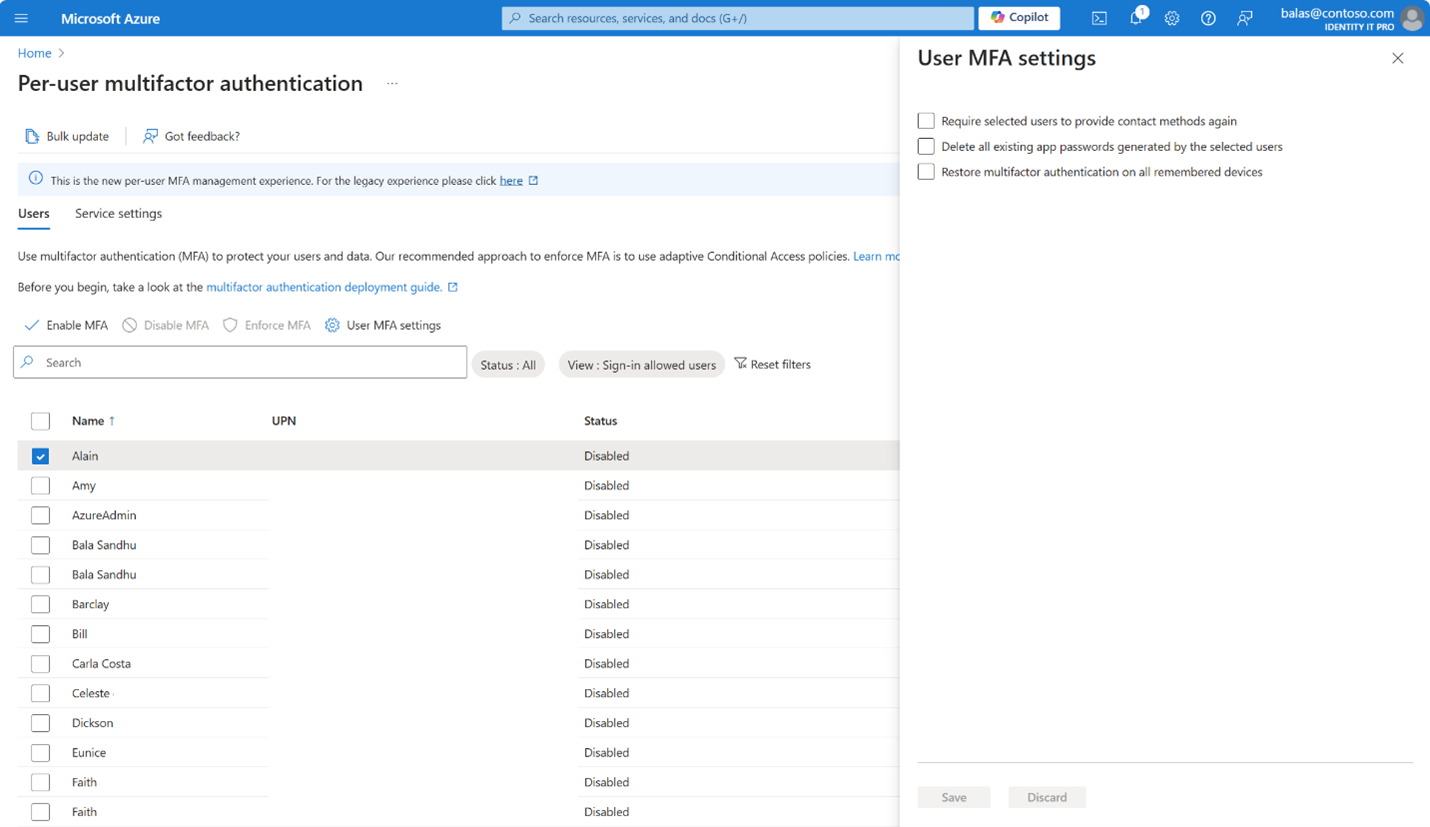
Now with that out of the way, the Basic plan will give you access to per-user MFA. It is not pretty, yet it will get the job done.
When users first sign in to a freshly created account, they will need to register a device when prompted.
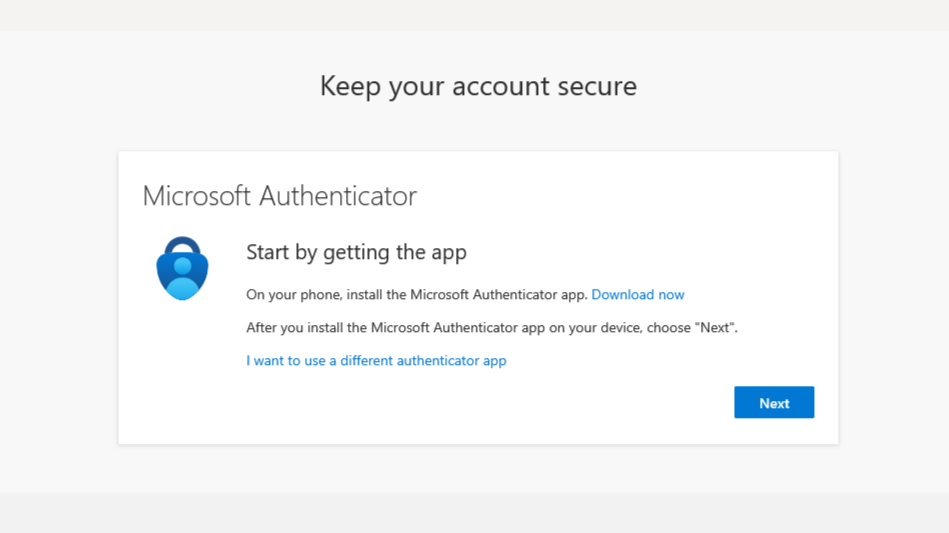
This is thanks to the default Microsoft-managed settings of Authentication methods → Registration campaign.
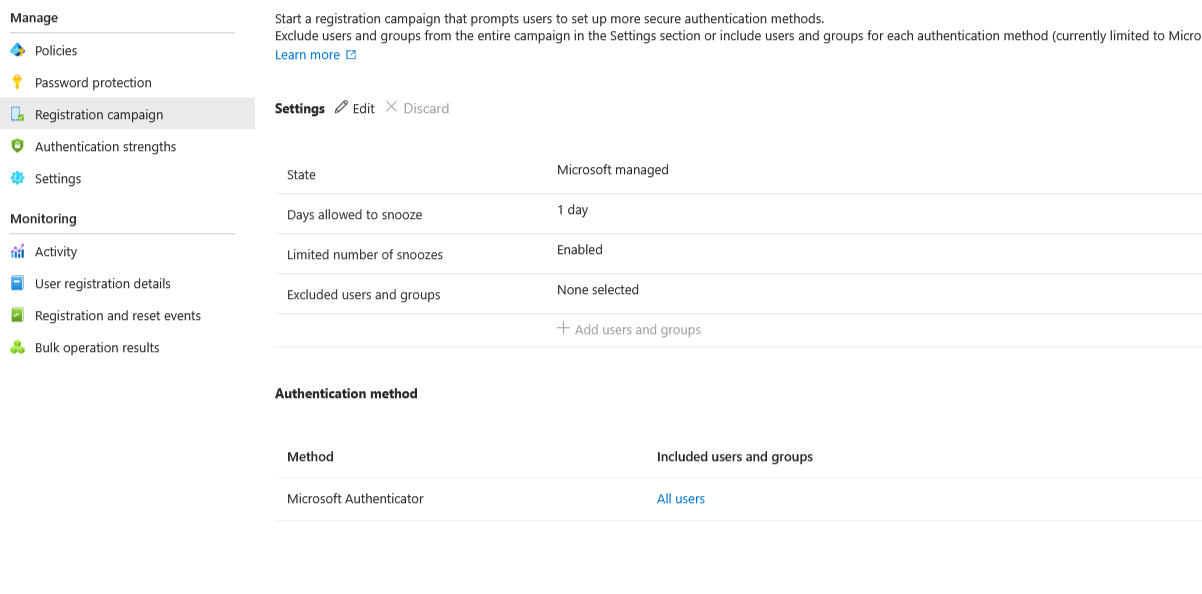
So users can end up registered for MFA without the setting that enforces MFA at sign-in. To address that, you will need to enable MFA for each user (users only, not service or break-glass accounts). Once that is done, they will be enforced and prompted when they sign in. Happy days.
Microsoft 365 Business Standard
Moving on to the next tier, at an extra 107.77% of the cost of the Basic license, it is ideal for growing businesses that need desktop applications in addition to cloud services. This suits office-based companies, hybrid teams that regularly work offline, and teams handling large files that perform better with desktop Word, Excel, and PowerPoint.
A quick comparison of the two plans shows that not much has changed in regard to applications, and nothing has changed in terms of security.
And then there is Business Premium.
Microsoft 365 Business Premium
Premium in name and benefit. Compared to Standard, the Premium license casts a long shadow and can be worth the 2.65× multiplier of Basic and almost double the cost of Standard, depending on your requirements.
The license is designed for organisations that require security, device management, and compliance. It handles most of what you need when provisioning company-owned devices, and dials up security across devices, patching, identity controls, and protection against phishing.
To understand differences between plans, a handy tool like m365maps.com can help. On its own, the value included is quite impressive.
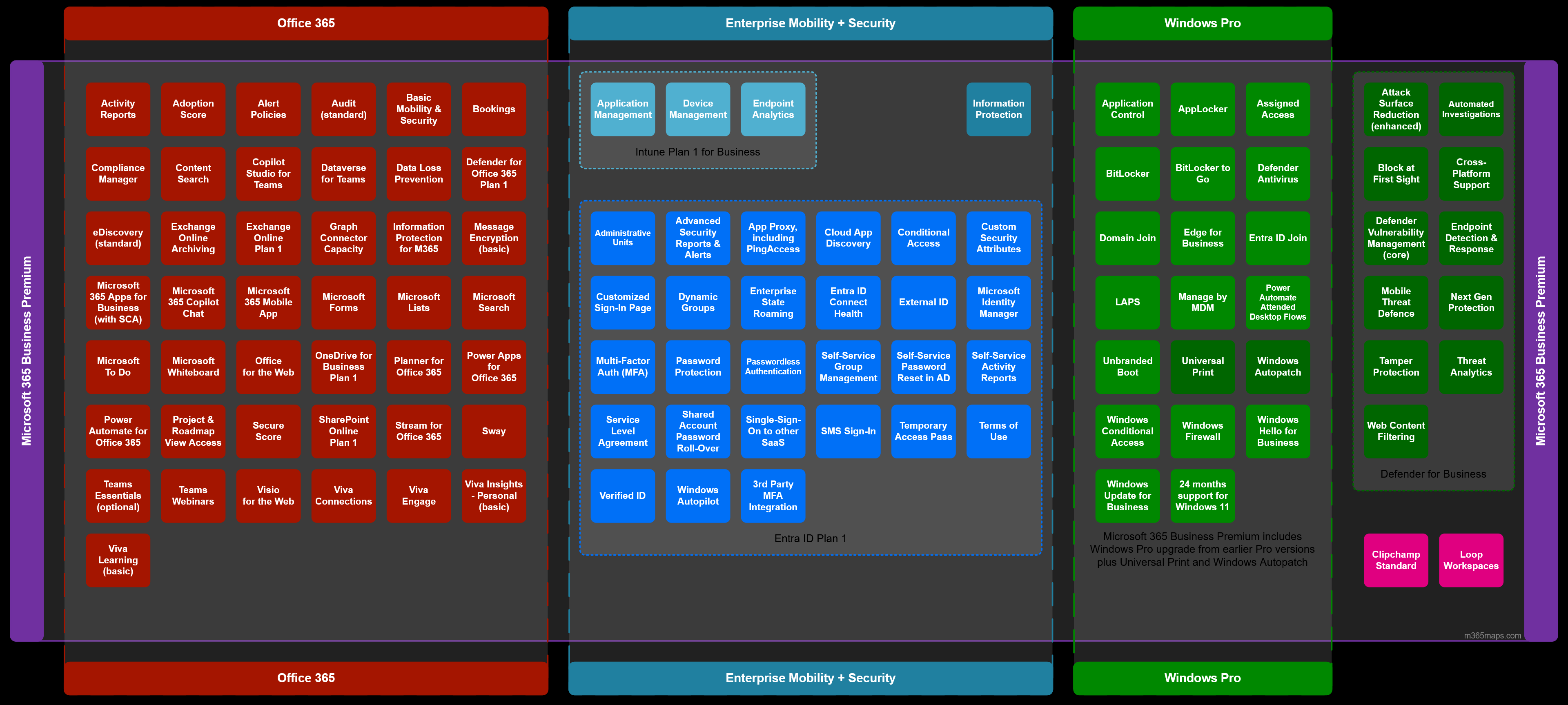
The Entra ID Free tier grows substantially: Entra ID Plan 1 adds a wide set of security controls, most importantly for this article, Conditional Access. Intune Plan 1 for Business covers end-user device management needs.
Conditional Access could fill its own blog, and there is no shortage of resources and best-practice guides online. Rather than replicate the internet, it is worth pointing to the work by the Center for Internet Security (CIS), including benchmarks such as Microsoft 365 Foundations (currently version 5.0.0).
If you download and read the 484-page PDF, you will find several controls related to Conditional Access. Of all policies that can be configured, CIS outlines a handful that provide strong security value.
Quick-win policies (high level)
- MFA for all users
- A separate MFA for administrators
- Block legacy authentication
- Enable sign-in frequency
- Turn on user and sign-in risk
Recommended policies that can be harder to implement
- Phishing-resistant MFA for administrators
- Enforcing managed devices
A common trap: when a policy is created, Microsoft will opt to exclude the user who saved the change by default. Be aware when saving Conditional Access policy updates, as accidental exclusions can undermine the control and become an entry point for a breach.
With all that said, that is a quick introduction to Business licenses with Microsoft. If I were starting a business and unsure where to start, Business Basic would take me up until my first employee.